Multi-server management
Run multiple PowerDNS servers from one panel, with per-entry connectivity tests and search across all servers.
PDNS Manager runs multiple PowerDNS Authoritative servers from one UI – zones, records, DNSSEC, ACME, user roles and audit logging. Modern, multilingual, and installed via Docker in under two minutes.
Runs on any host with Docker · MariaDB · Python 3.12 · React 19
A modern frontend, a fast FastAPI backend – and exactly the features that were missing from PowerDNS-Admin.
Run multiple PowerDNS servers from one panel, with per-entry connectivity tests and search across all servers.
All common types via form: A, AAAA, CNAME, MX, TXT, SRV – plus ALIAS, DNAME, SVCB/HTTPS and every DNSSEC record.
Enable or disable DNSSEC per zone. Keys are managed straight from the panel.
Custom templates with NS, SOA and default records – select them when creating a new zone.
Admins see everything, regular users only their assigned zones. Every change is logged with timestamp and user.
Scoped API tokens for DNS-01 challenges. Certbot writes _acme-challenge records itself, certificates renew automatically.
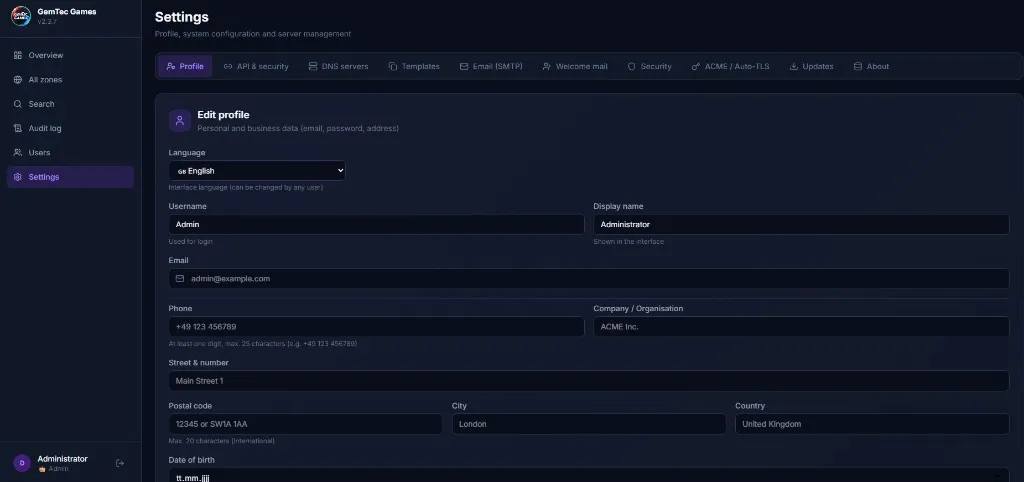
Custom app name, tagline and logo. Survives updates via the `backend_uploads` volume.
German, English, Serbian, Croatian, Bosnian and Hungarian – with a language dropdown and automatic fallback.
Collapsible sidebar with a hamburger menu, tables scroll horizontally instead of breaking the layout.
Tailwind 4, React 19 and a consistent component system – in both light and dark mode.
Requirements: Docker and Docker Compose. Port 5380 should be free.
Pulls the repo, asks a few questions, writes a complete .env and starts the containers.
curl -sSLO https://raw.githubusercontent.com/29barra29/PowerDNS-PDNS-MANAGER/main/install.sh && bash install.shSame outcome, just without the download wrapper.
git clone https://github.com/29barra29/PowerDNS-PDNS-MANAGER.git
cd dns-manager
./setup.sh
docker compose up -dFor the panel to control your PowerDNS server, its HTTP API has to be active. Minimal configuration in /etc/powerdns/pdns.conf:
api=yes
api-key=dein-sicherer-api-key
webserver=yes
webserver-address=0.0.0.0
webserver-port=8081
webserver-allow-from=0.0.0.0/0
Then run systemctl restart pdns and add the server in the panel under Settings → DNS servers → Add server.
Full step-by-step guide in the installation docs.
Everything that runs is open source. No cloud lock-in, no vendor traps. The project started as a more polished, modern-stack alternative to PowerDNS-Admin.
Also from us
Self-hosted, privacy-respecting and free of ad tracking – a few other things we work on.
Secure email made in Germany. A privacy-first mail service on our own infrastructure – no ad profiling, no cloud tracking.
Visit GemTec Games MailYour place for stable gameserver hosting products and suitable tools.
Open GemTec Games